Photo to sketch
Turn a Photo Into a Sketch
One photo, drawn six ways: pencil, charcoal, cross-hatching, ink line art and colored pencil.
AI Gahaku team · Tested October 8, 2026


Short answer
Open the AI Gahaku app, choose a photo and pick a sketch or colored pencil style. Graphite gives a light pencil portrait on blank paper, ink gives clean line art, and charcoal goes dark and dramatic.
Real results
One photo, six drawing styles
One photo, six looks, no retouching.
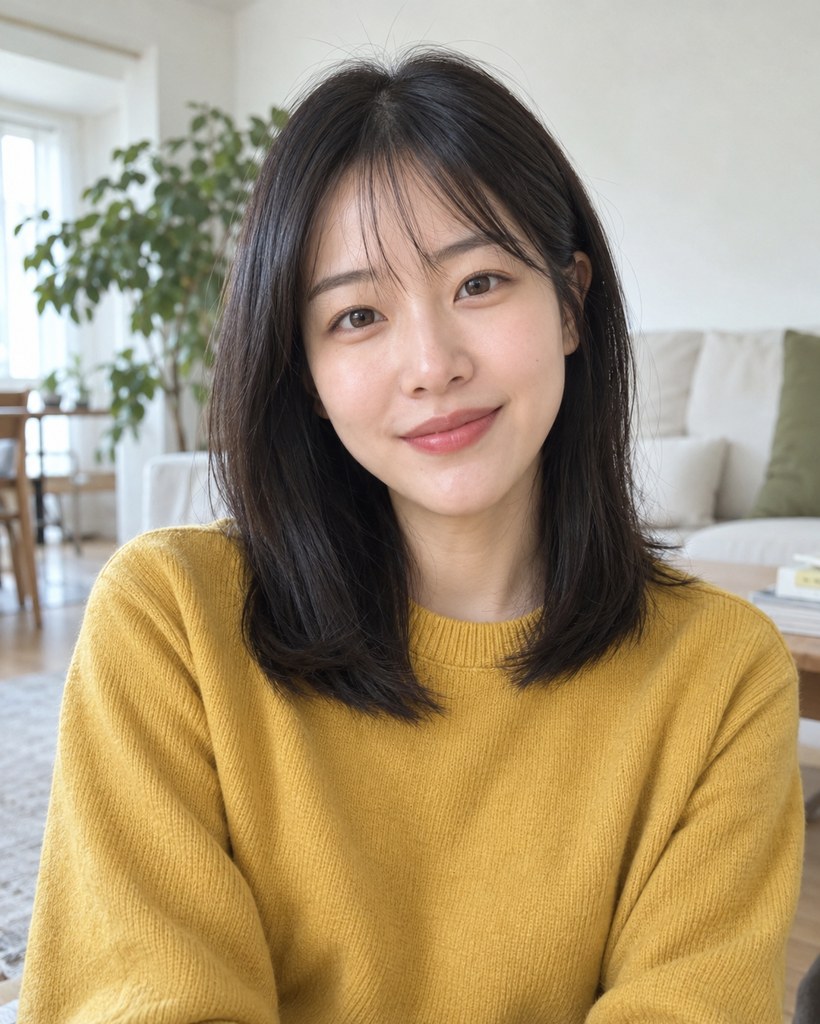
Original photo
Front-facing, in a bright room with plants and a sofa.
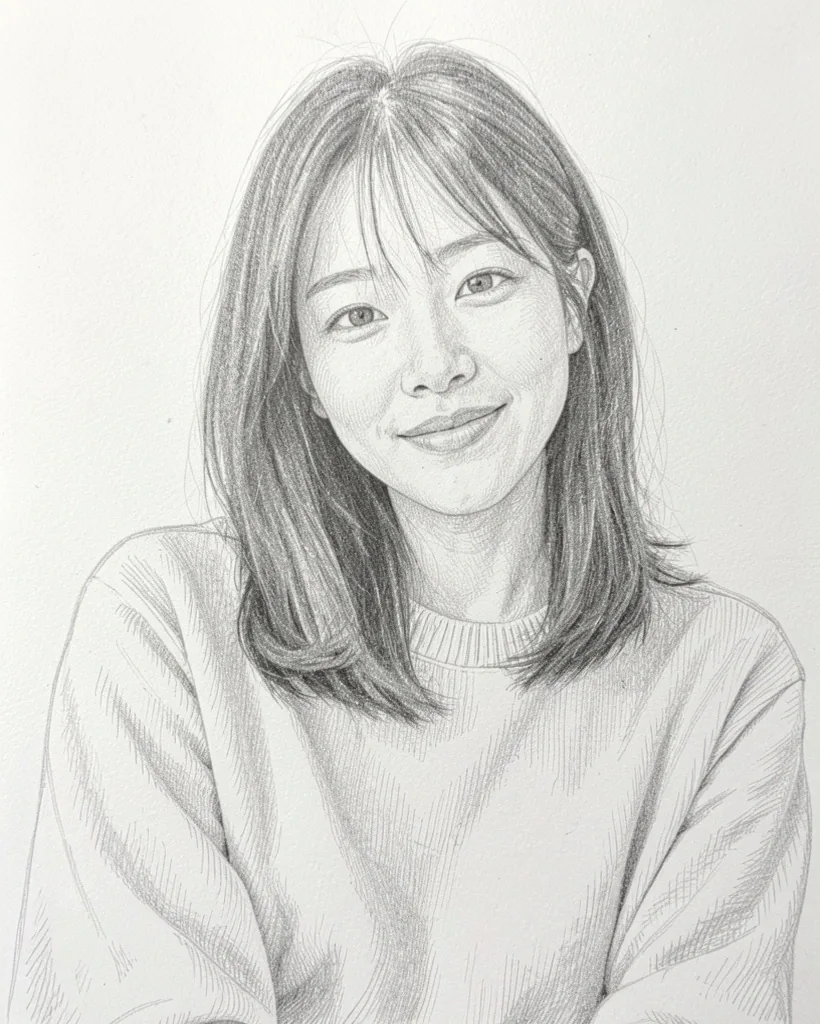
Graphite app
Soft grey pencil on blank paper, the room gone. The classic portrait sketch.
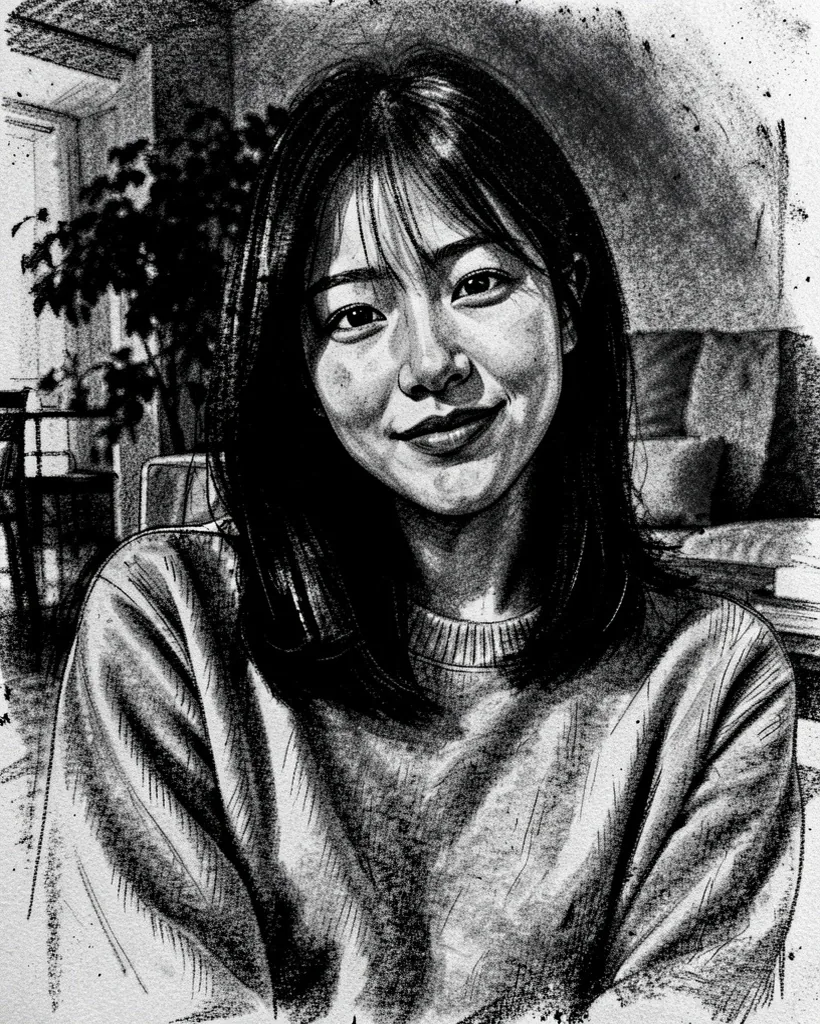
Charcoal app
Heavy black smudges on a dark background. Dramatic, light on fine detail.
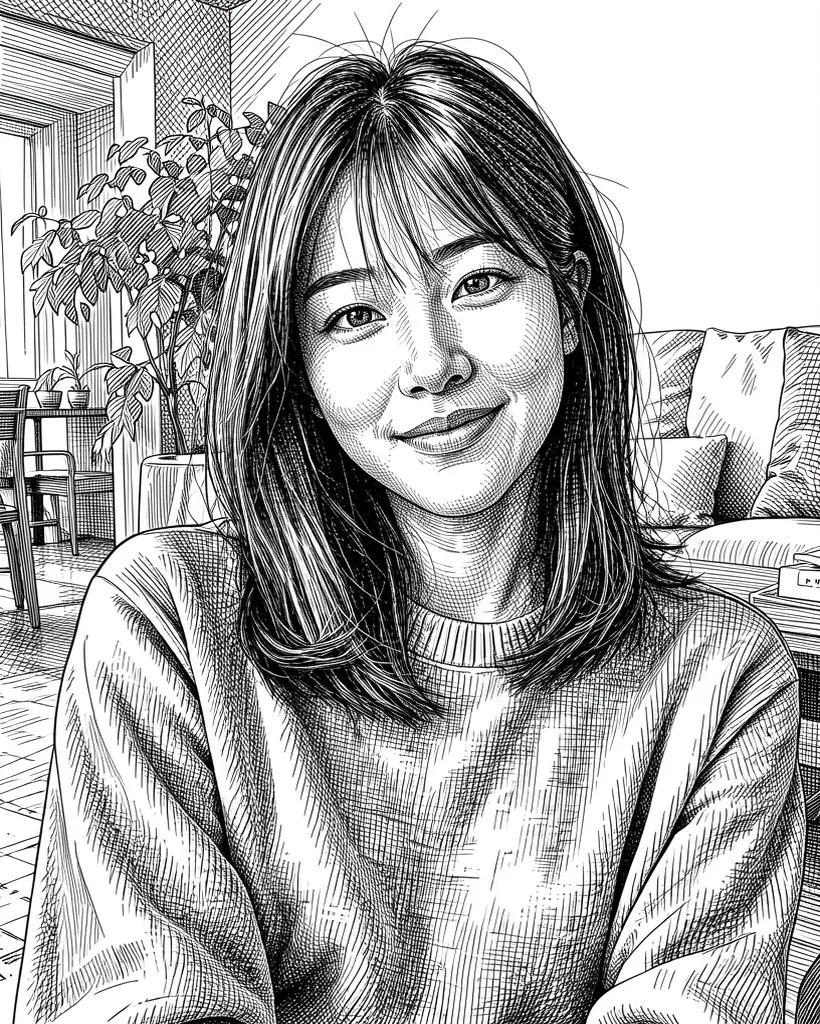
Crosshatch app
Fine pen hatching that draws the whole room, plants and sofa too. The most detailed of the six.
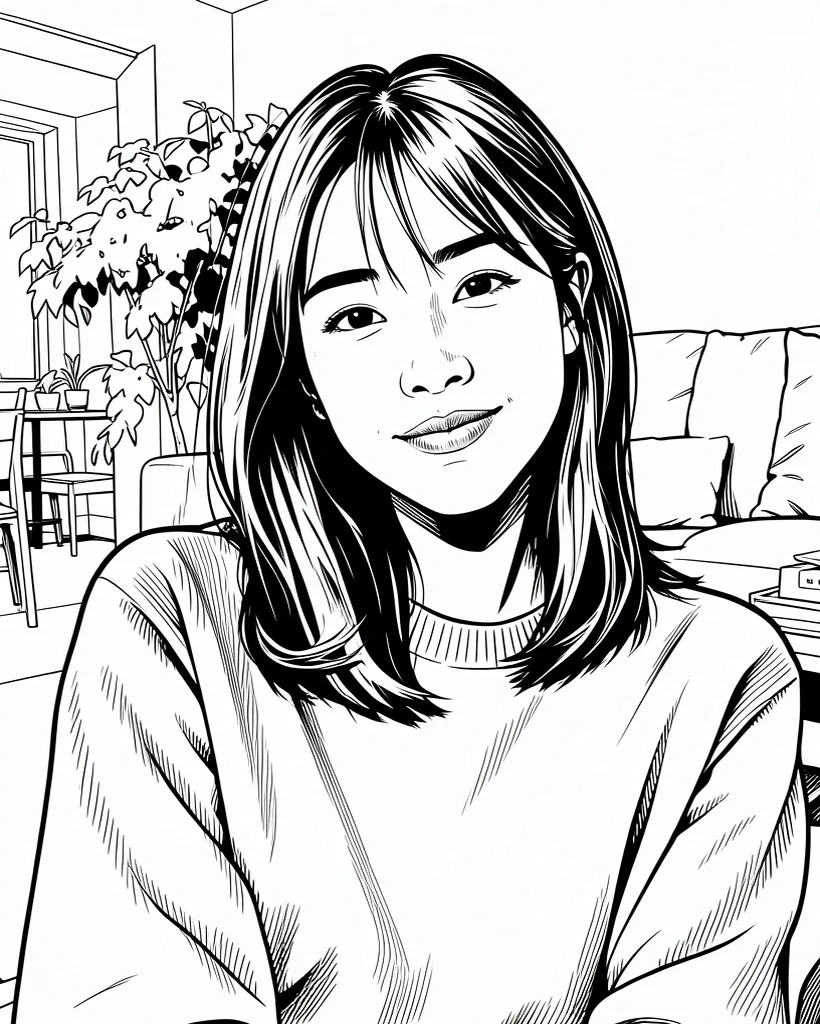
Ink Drawing app
Clean black outlines, almost no shading — like a coloring page or a comic.
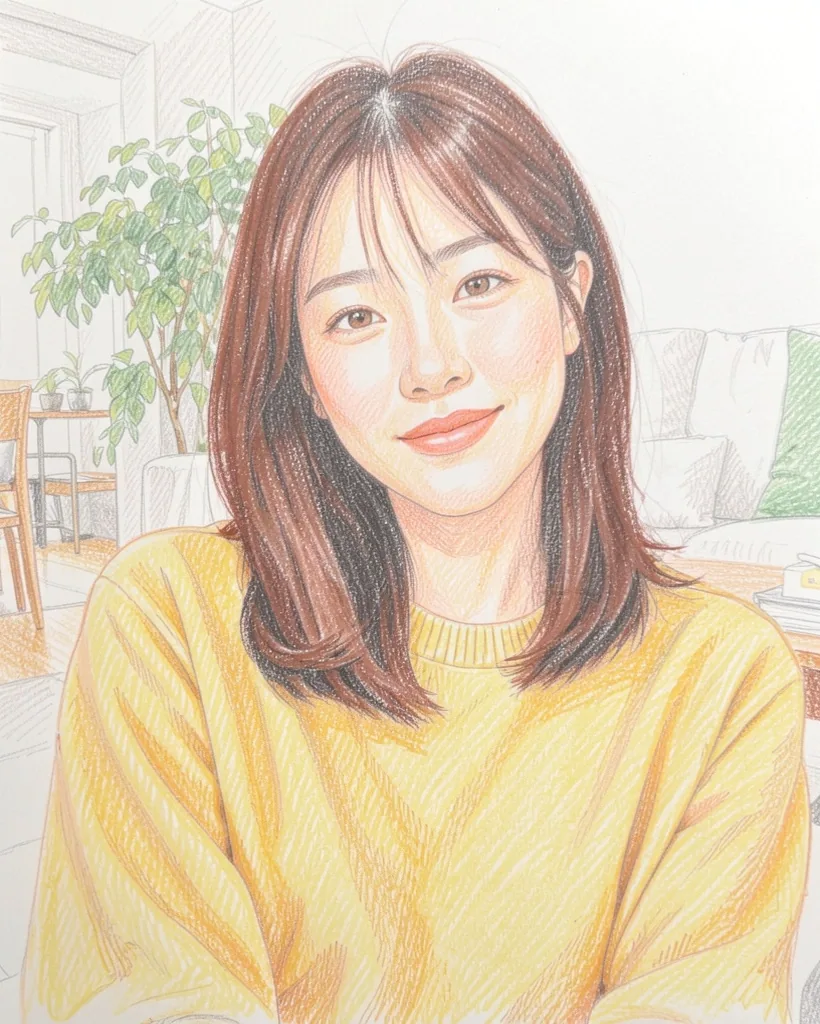
Colored pencil · Classic app
Warm colored pencil strokes. The yellow sweater stays; the black hair turns reddish brown.
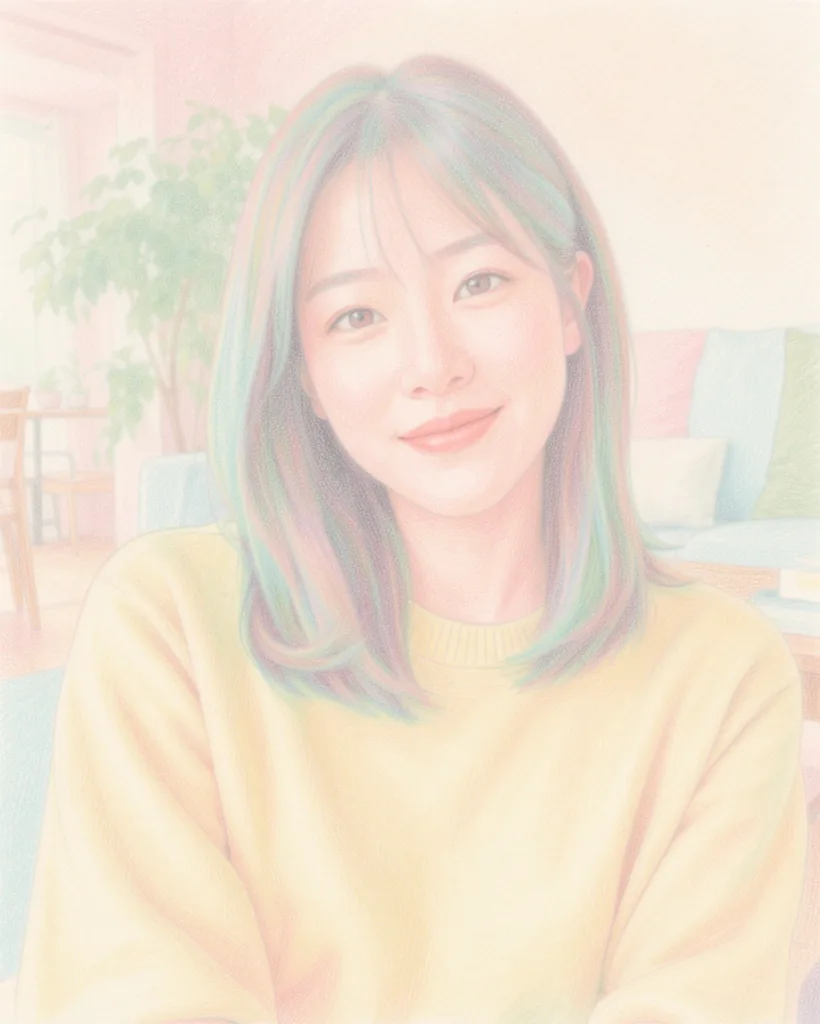
Colored pencil · Soft app
Pale pastel tones and gentle contrast, with streaks of green and pink in the hair.
What changes, and what doesn’t
- Face and pose stay close to the photo in all six styles.
- Backgrounds follow the style: graphite clears the room, cross-hatching draws every object in it.
- Color has a mind of its own: colored pencil turned black hair reddish brown, and the soft version came out very pale.
- Another photo may come out differently — that is part of the fun.
How to turn your photo into a sketch
- 1
Get the app
Install AI Gahaku on iPhone or Android and pick a bright, clear photo.
- 2
Pick a drawing style
Graphite, charcoal, cross-hatching, ink or colored pencil — take your pick.
- 3
Create and save
Generate, save, then try another style on the same photo.
Draw your own in the app
Sketch, colored pencil, watercolor, painters and illustration — 300+ styles to explore.
Want a taste first? Try a painter style in your browser.
Frequently asked questions
Can I turn a photo into a sketch for free?
Which style looks most like a pencil drawing?
Will the sketch still look like me?
Can I use it as a coloring page?
Is my photo stored?
Related
- Watercolor portraitsSix watercolor styles on one photo.
- Photo to paintingOil, watercolor and pencil compared.
- Van Gogh style from a photoBefore-and-after examples you can try on the web.
- AI portrait generatorHow each style changes the same face.
How these examples were made
Generated October 8, 2026, one image per style, no retouching. The person in the photo is fictional, created with an AI image generator; she is not a real person.