Watercolor portrait
Turn a Photo Into a Watercolor Portrait
One photo, six watercolor looks: soft, vivid, wet, dry brush, ink and ink wash.
AI Gahaku team · Tested October 8, 2026


Short answer
Open the AI Gahaku app, choose a photo and pick a watercolor style. Soft gives light washes on white paper, dry brush stays closest to the photo, and vivid turns the colours way up.
Real results
One photo, six watercolor styles
One photo, six looks, no retouching.
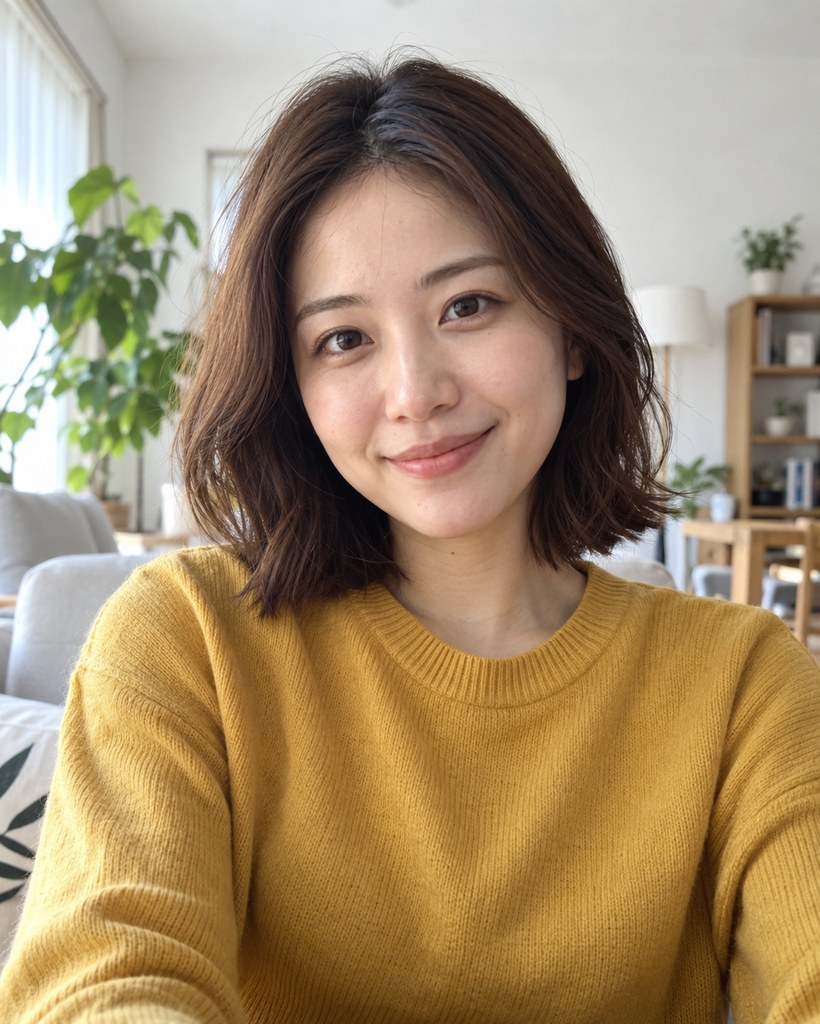
Original photo
Front-facing, in a bright room with shelves and plants.
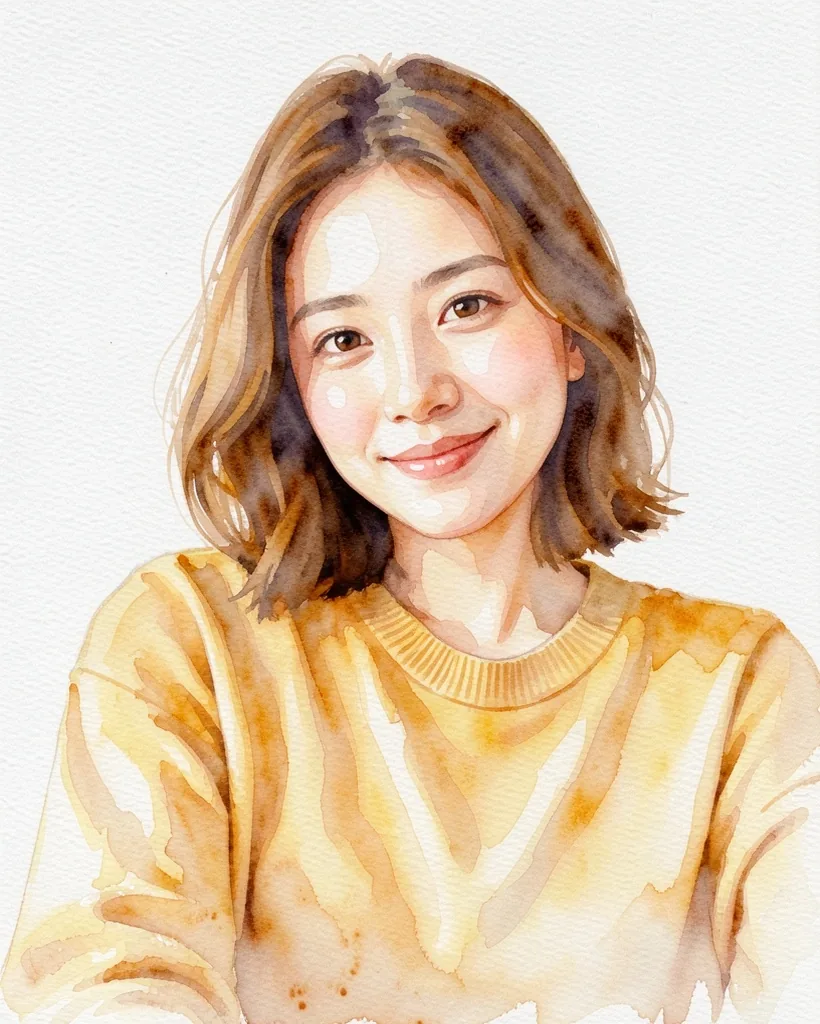
Soft app
Light, warm washes on white paper. The room disappears and the hair goes a lighter brown.
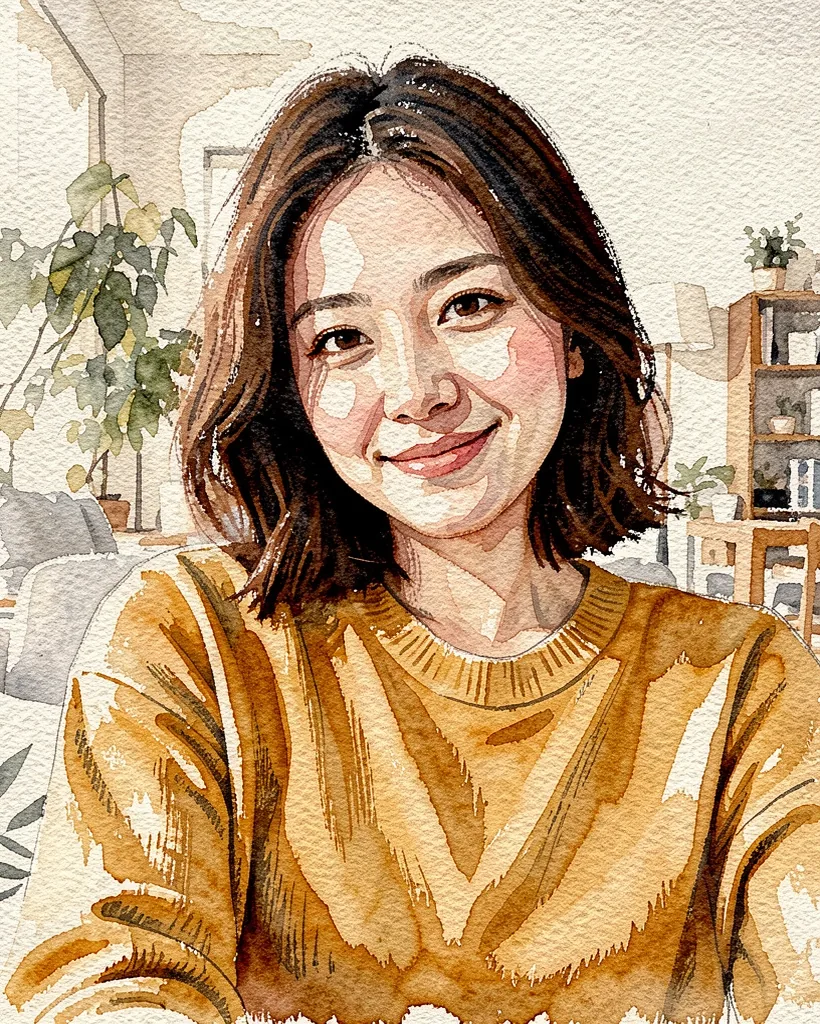
Drybrush app
Closest to the photo: room, shelves and plants stay, with paper texture and visible brush marks.
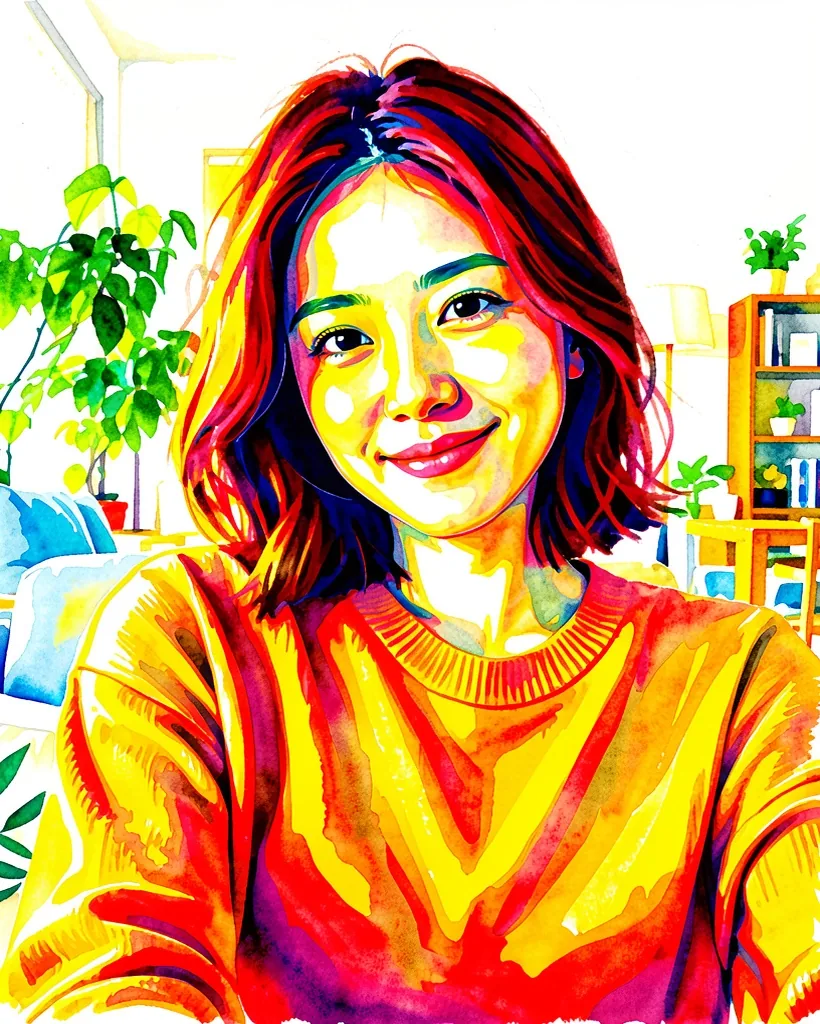
Vivid app
Saturated reds and yellows, strong contrast. The hair turns red.
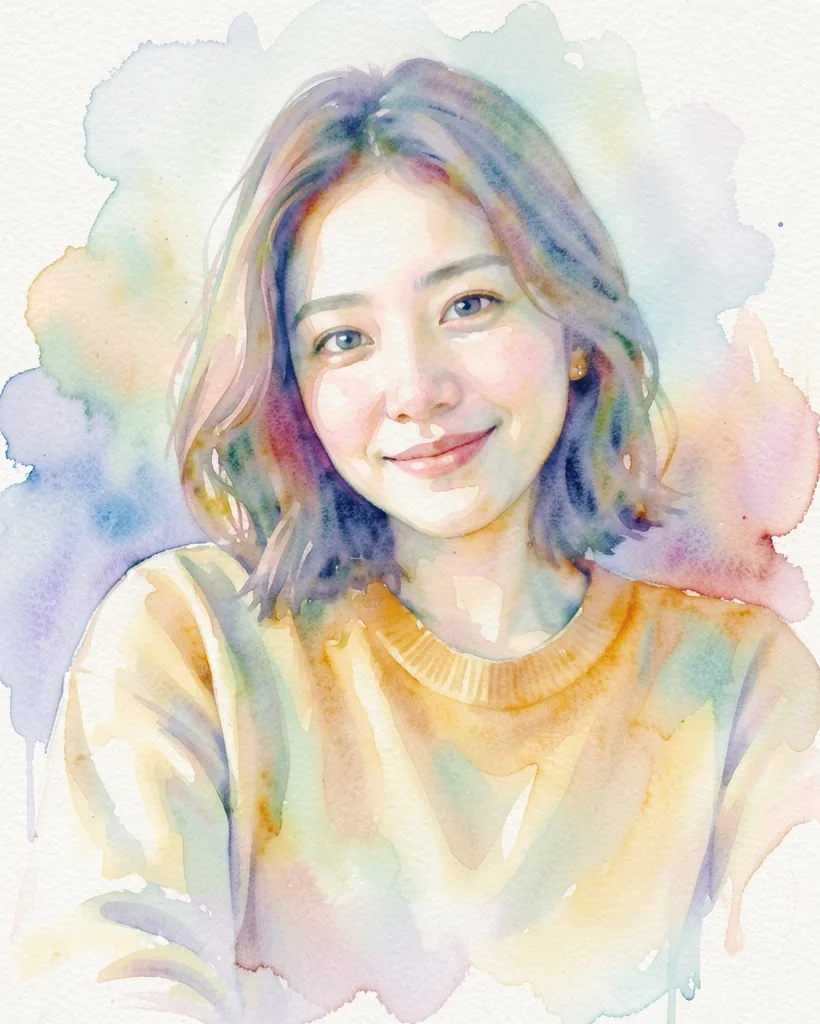
Wet app
Pale blooms of blue, pink and yellow; the background melts into wet washes.
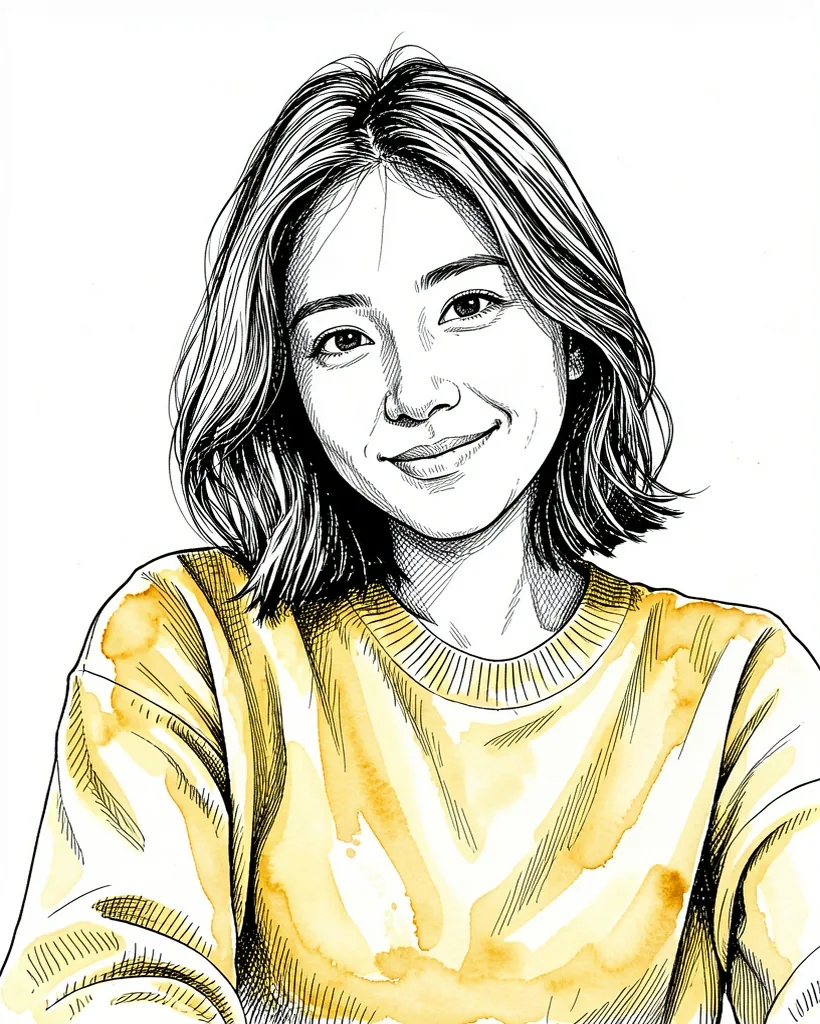
Ink & Watercolor app
Mostly black ink lines, with colour kept only on the sweater.
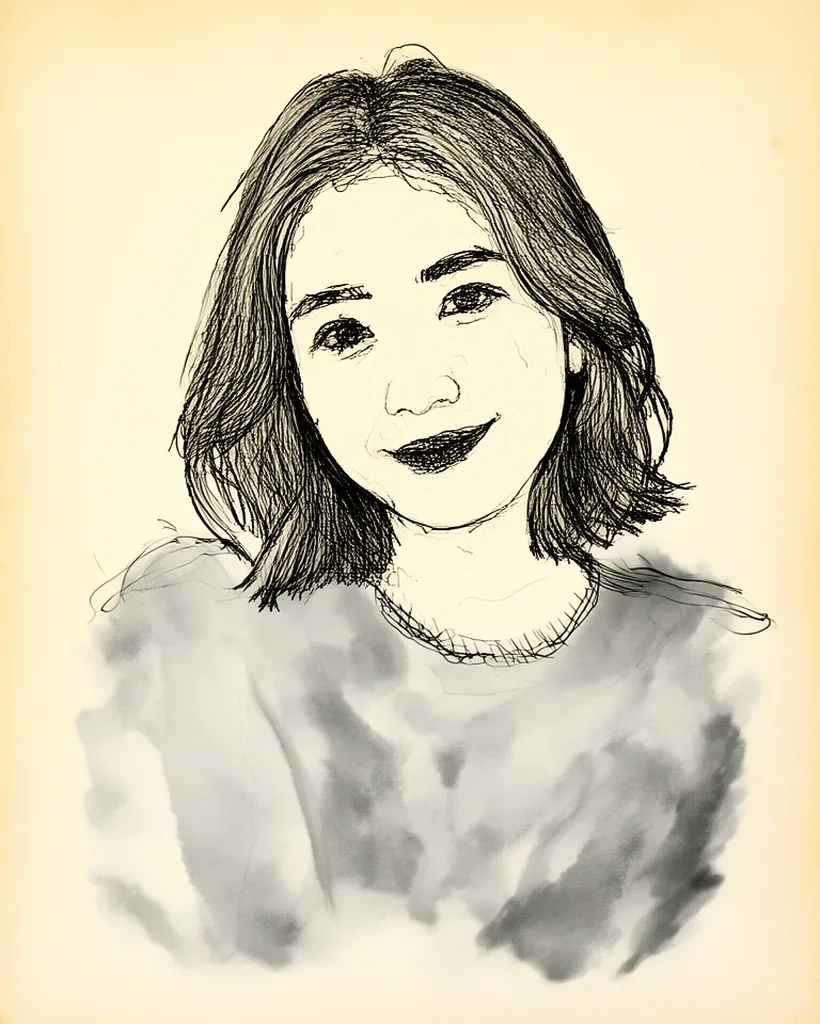
Ink Wash app
Pen lines on cream paper and a grey wash on the sweater. No colour — closer to a sketch.
What changes, and what doesn’t
- Face and pose stay close to the photo in all six styles.
- Colour is where styles part ways: soft and wet are pale, vivid is bold, and the two ink styles go almost black and white.
- Hair can shift too — lighter brown in soft, red in vivid.
- Backgrounds run from the full room (dry brush, vivid) to blank paper (soft).
How to make a watercolor portrait
- 1
Get the app
Install AI Gahaku on iPhone or Android and pick a bright, clear photo.
- 2
Pick a watercolor style
Soft, vivid, wet, dry brush and more — take your pick.
- 3
Create and save
Generate, save, then try another style on the same photo.
Paint your own in the app
Nine watercolor styles, plus sketch, colored pencil, painters and illustration — 300+ styles to explore.
Want a taste first? Try a painter style in your browser.
Frequently asked questions
Can I make a watercolor portrait for free?
Which watercolor style should I pick?
Will it still look like me?
Is my photo stored?
Related
- Photo to sketchPencil, charcoal, ink and colored pencil on one photo.
- Photo to paintingOil, watercolor and pencil compared.
- Portrait giftsIdeas for birthdays, anniversaries and Mother’s Day.
- Pet portraitsTurn your dog or cat into a painting.
How these examples were made
Generated October 8, 2026, one image per style, no retouching. The person in the photo is fictional, created with an AI image generator; she is not a real person.