Guide · Van Gogh style
How to Turn a Photo Into a Van Gogh Painting
Upload a photo and watch it turn into thick, vivid Van Gogh brushwork, right here on this page.
AI Gahaku team · Tested October 8, 2026
Short answer
Pick a bright, front-facing photo, leave “Van Gogh” selected in the tool below and press Create. Out come thick, visible brushstrokes and bold colour. Van Gogh repaints the background and the face too: in our tests both people came out rosier and older.
Real results
Two photos, before and after
Each painting comes straight from the photo before it, with no retouching. The notes say what changed.
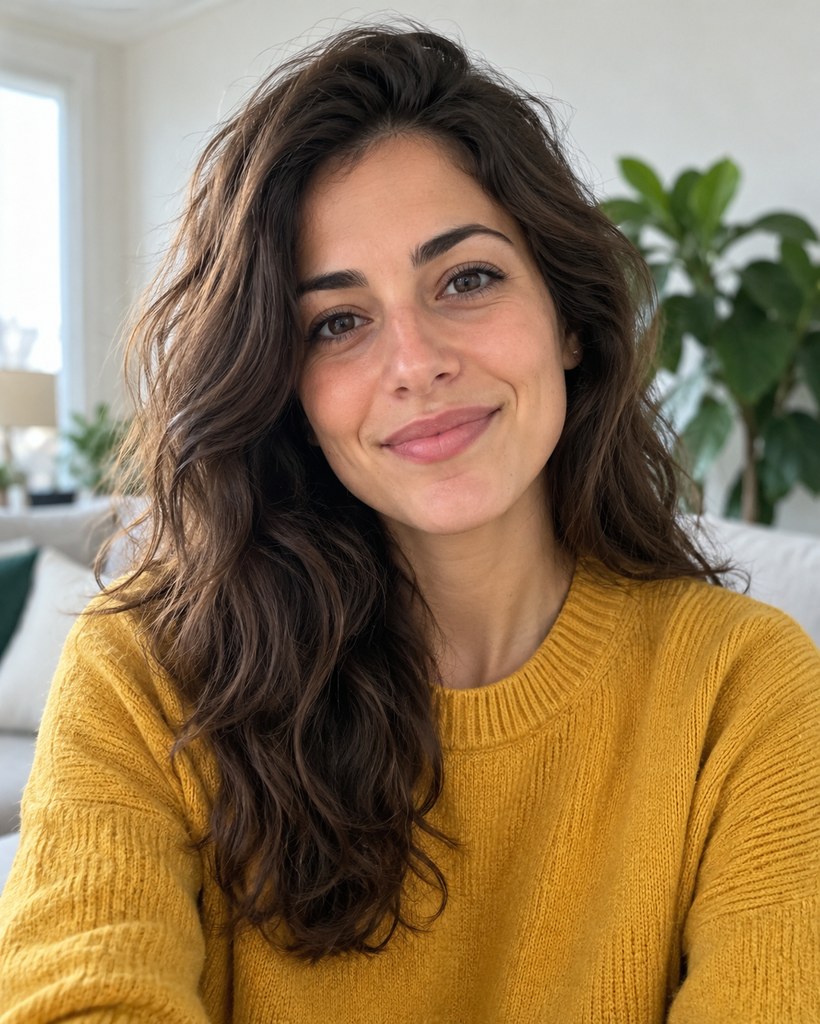
Photo 1
Front-facing, indoors, plants and a sofa behind her.
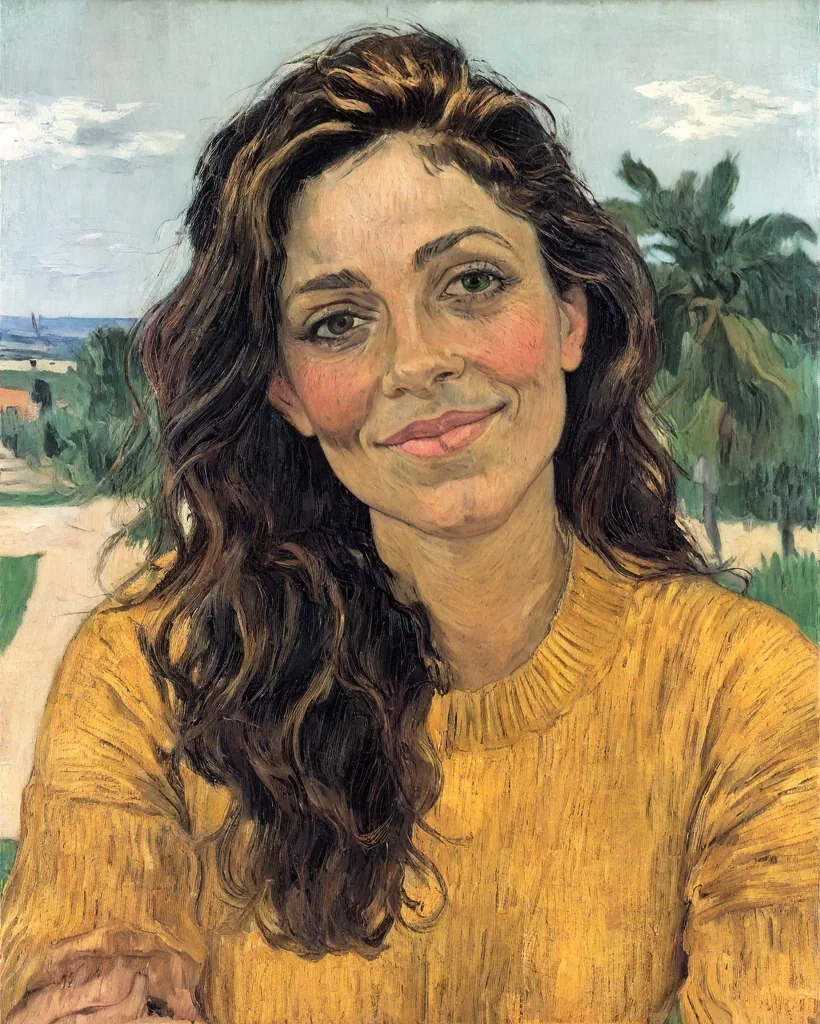
Van Gogh style
The room became a landscape of sky and trees. Thick strokes run through the hair and knit; cheeks glow rosy and the face looks older.
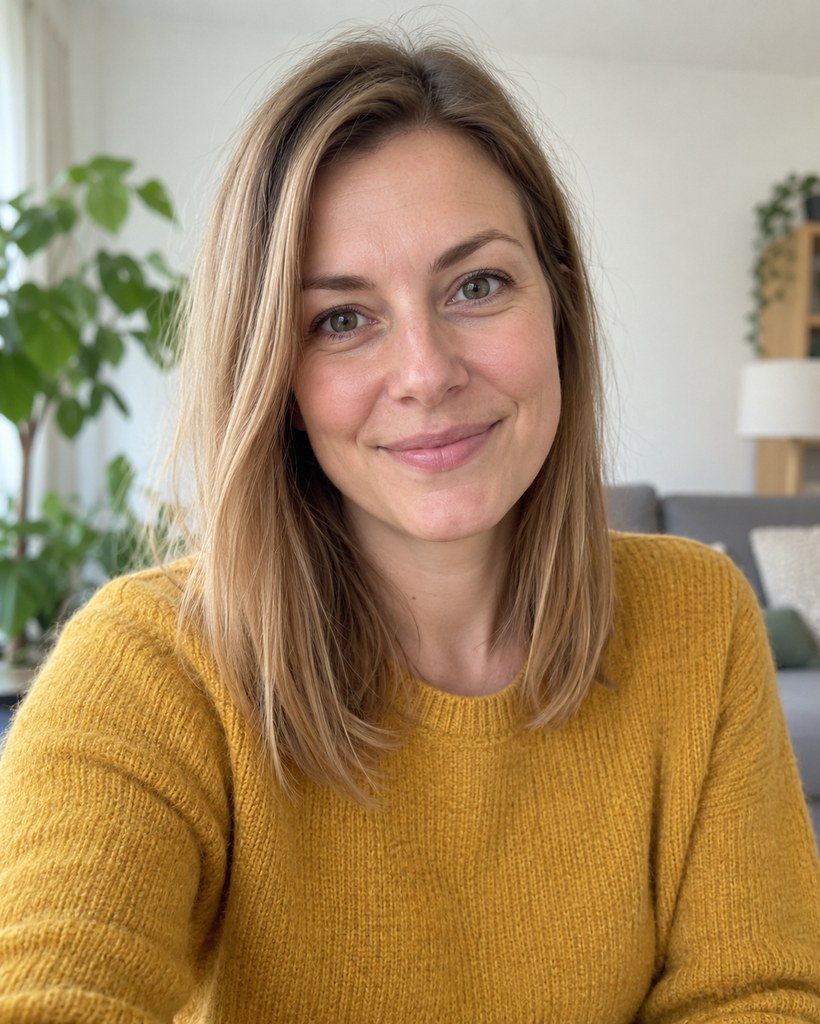
Photo 2
Front-facing, soft window light, houseplants on the left.
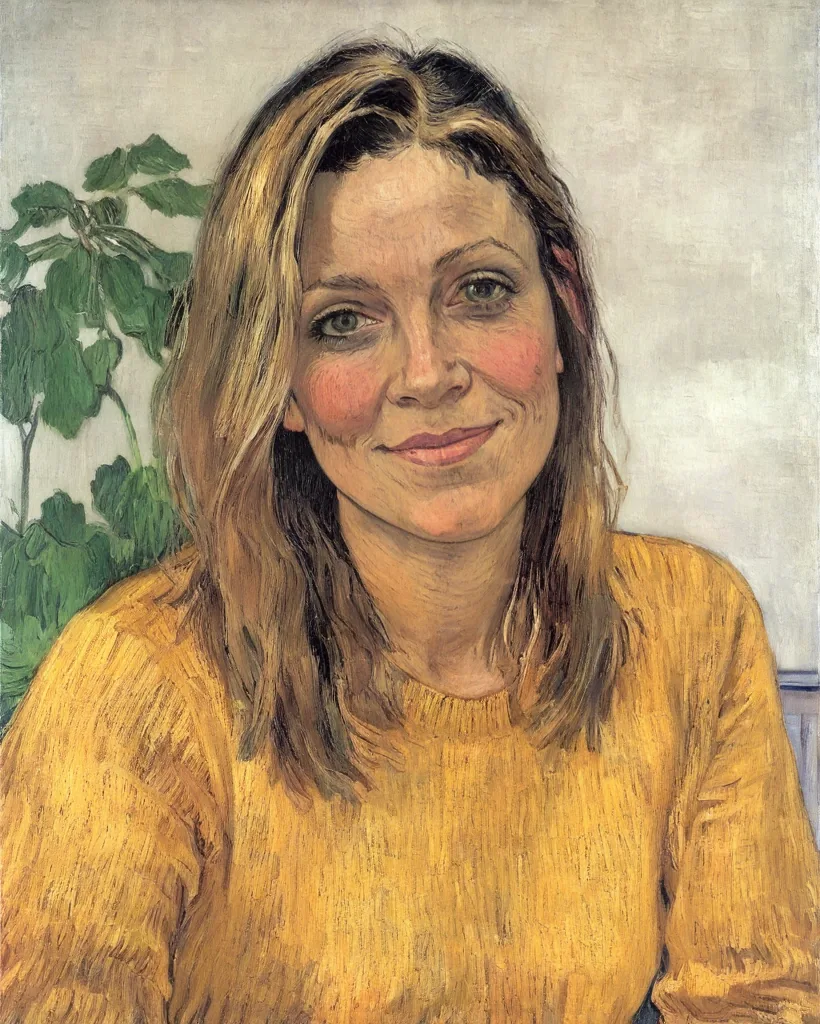
Van Gogh style
The background became a pale wall with large leaves. Short brushstrokes all over, with rosy cheeks and deeper lines again.
What the Van Gogh style changes
- Van Gogh repaints the whole picture, not just the colours. In both tests the background was replaced, once by a landscape and once by a wall with leaves.
- Clothes and hair keep their colours but gain short, directional brushstrokes, the most recognisable part of the look.
- Faces take on the painter’s character: rosy cheeks, deeper lines, an older look. Prefer a closer likeness? Watercolor stayed nearest to the original face on our photo-to-painting page.
Step by step
- 1
Choose a photo
Pick a bright, front-facing photo you like.
- 2
Keep "Van Gogh" selected
Van Gogh is already selected in the tool below. Press “Paint it like Van Gogh”.
- 3
Save the result
Painting can take a few minutes. Save your picture before you leave, as it is not kept on our server.
Try it with your photo
See your photo become a Van Gogh, a Monet and more.
Checking your trial…
More painters in the app
The AI Gahaku app has 300+ styles, including Monet, Gauguin, Cézanne, Seurat and Munch, and it works on pets too.


Frequently asked questions
Can I turn a photo into a Van Gogh painting for free?
Will the painting still look like me?
Is this a copy of a real Van Gogh painting?
Is my photo stored?
Can I try a different style?
Related
- Photo to paintingOne photo in five styles, with what each changes.
- Renaissance painting from a photoBotticelli, Michelangelo and more, compared on one portrait.
- Oil painting portraitsThe artists behind the oil styles.
- Watercolor portraitsSix watercolor styles on one photo.
How these examples were made
Generated on October 8, 2026 (style ID vincent-van-gogh, strength 0.9), one generation per photo, resized to 820 × 1024 and saved as WebP with no retouching. The people in both photos are fictional, created with an AI image generator; they are not real people.