AI Portrait Generator
AI Portrait Generator From Your Photo
Upload a selfie and get a painted portrait — oil, watercolor, pencil or anime. Create one free on the web, then continue in the app.
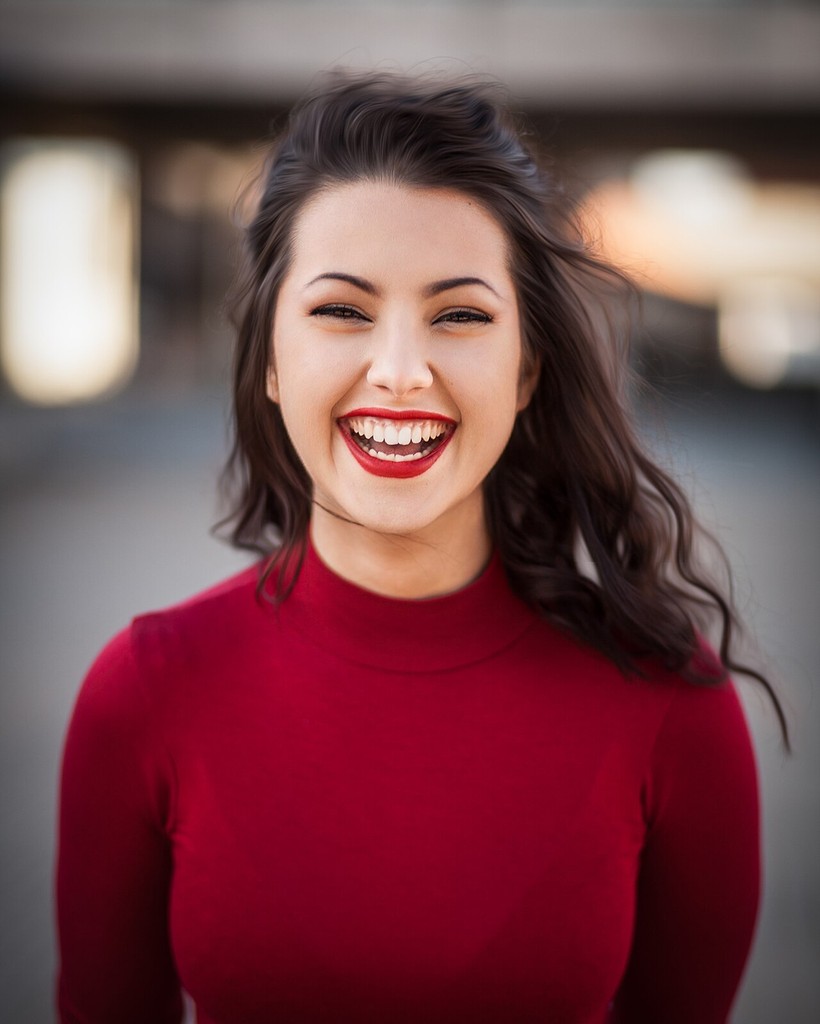
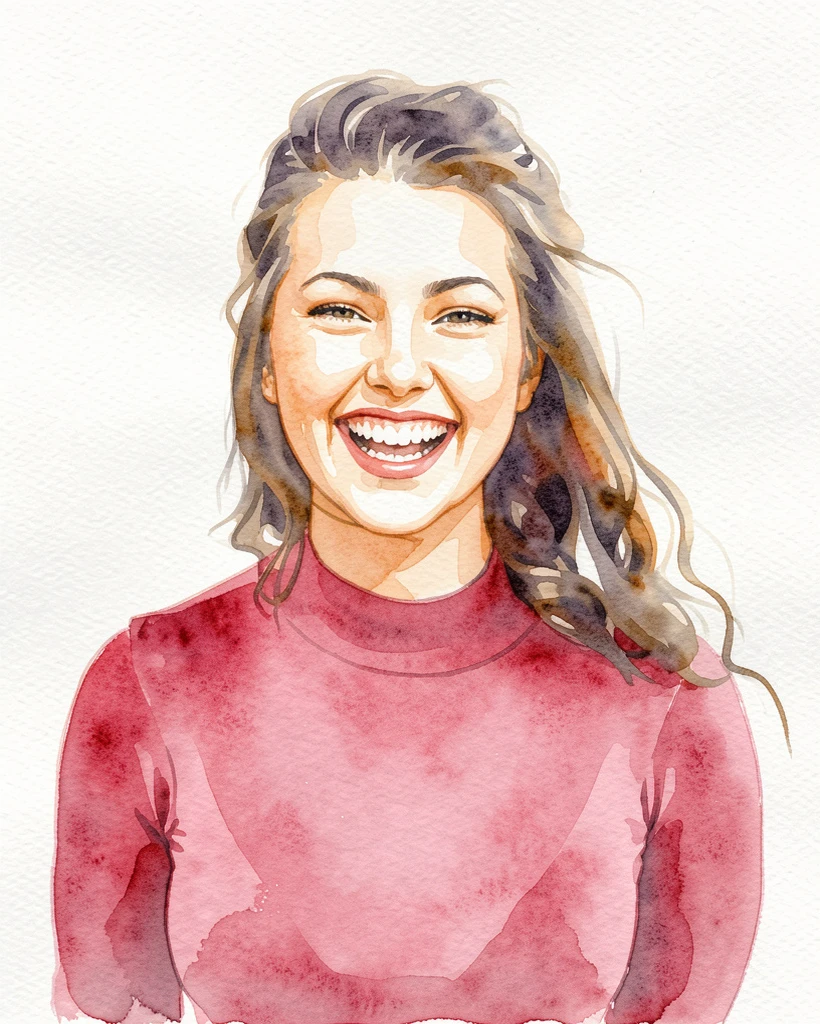
Same face, five styles
How much does it still look like you?
We ran one photo through each web style once. Here is what changed in the face and the background.
| Result | Style | Face | Background |
|---|---|---|---|
| Watercolor · Soft | Closest to the original expression and features. | Plain white paper. |
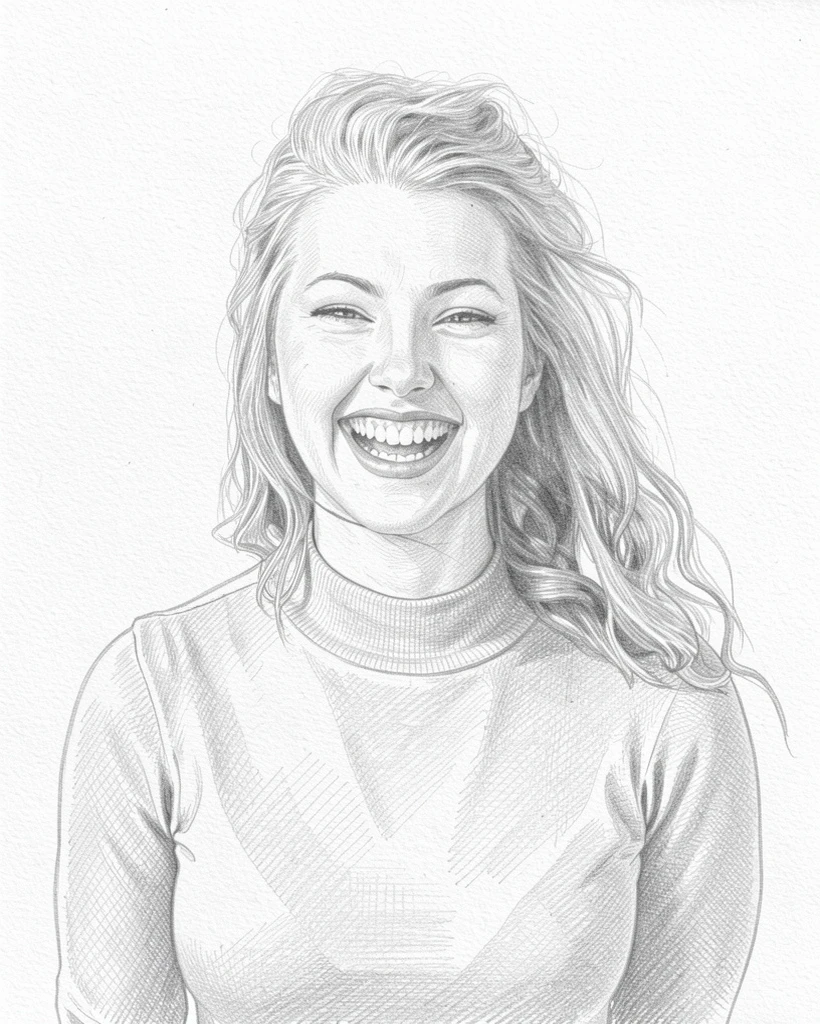 | Pencil sketch | Features kept; hair drawn lighter. | Plain paper. |
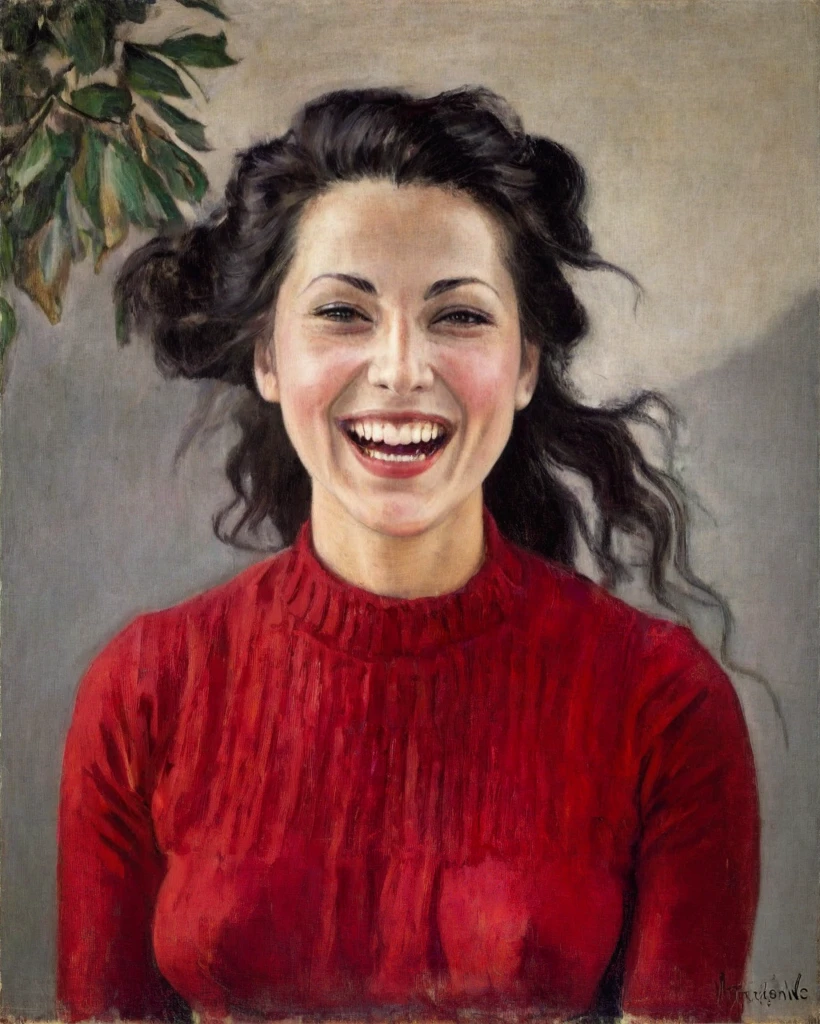 | Oil · Monet style | Similar expression with painterly skin. | Grey wall with added leaves and a signature-like mark. |
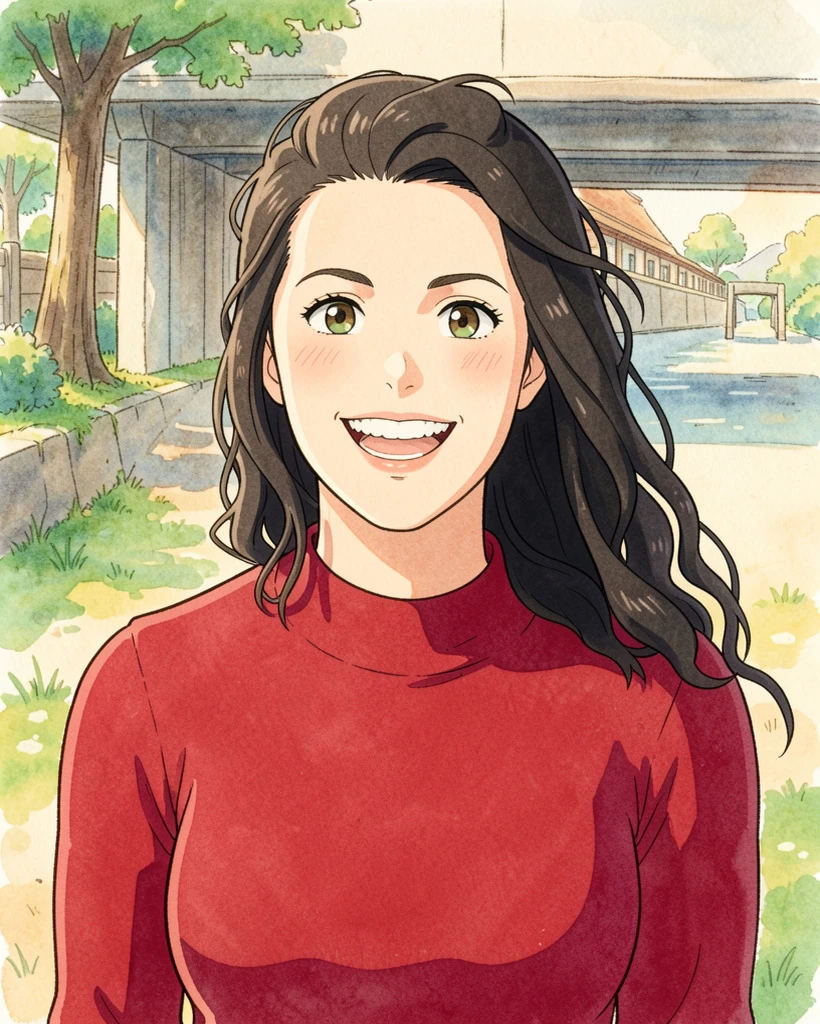 | Anime | Simplified anime face; smile became softer. | Replaced with a riverside scene. |
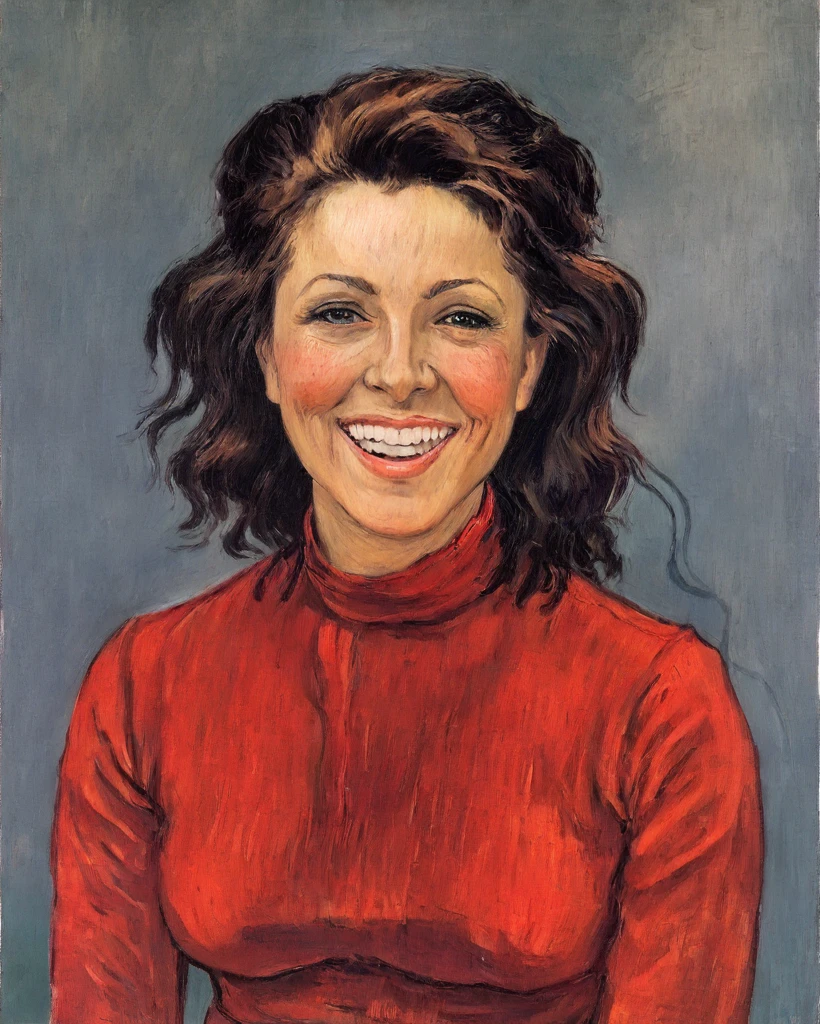 | Oil · Van Gogh style | Biggest change: auburn hair and different facial features. | Blue-grey brushwork. |
Generated on October 6, 2026 with the same engine as the web trial, one attempt per style, no retouching. Photo: Michael Dam / Unsplash (CC0) · Generation record (JSON)
What people use AI portraits for
Profile pictures
A painted portrait stands out as an avatar on Instagram, X, LinkedIn or Discord.
Gifts
Turn a photo of family or friends into a portrait card. For prints, use the app’s high-resolution output.
Trying a look
See yourself as an oil painting, a watercolor or an anime character before choosing a style in the app.
Tips for a better AI portrait
- Use a front-facing photo with your face clearly visible and evenly lit.
- Avoid sunglasses, masks or hands covering the face.
- A head-and-shoulders crop works well; JPEG, PNG or WebP up to 10 MB (convert HEIC to JPEG).
- Only upload photos you have the right to use. Do not upload other people’s photos without their permission.
- We tested a single-person photo. Group photos have not been tested on this page.
Turn your photo into a painting, free
Try one successful creation free per browser, using the same generation engine as the app. This trial is shared across every page of this site.
Checking your trial…
What happens to your photo
- Nothing is sent until you choose a photo, tick the consent box and press the create button.
- Your photo is sent to AI Gahaku and its AI providers for processing. It is not saved in the web trial’s database.
- The result is kept for one hour so you can reopen it, and you can delete it sooner.
Web trial vs. the app
| Web trial | iOS & Android app | |
|---|---|---|
| Styles | 12: eight famous painters (Van Gogh, Monet, Warhol and more) plus two watercolors, pencil and anime | 300+ styles, including portrait, anime and dedicated pet styles |
| Free usage | One successful creation per browser, no account | Free to start, with an optional PRO plan |
| Result | WebP up to 1,024 px, viewable for one hour | High-resolution save and share |
The web trial uses the same generation engine as the app. See the app for its current free usage and prices.